Category: Blog

Your blog category

  • Contract Review Checklist for SMEs Before Using Any AI Plan

    Contract Review Checklist for SMEs Before Using Any AI Plan

    Many SMEs are starting to use AI tools for drafting, coding, sales, customer support, marketing, HR, operations, and decision support.

    But there is one common mistake.

    Businesses often judge an AI tool by the vendor’s brand name, popularity, or price plan. That is not enough.

    The real question is not:

    “Is this AI company trustworthy?”

    The better question is:

    “For the exact plan we have purchased, what does the contract say about our data, retention, training, access, controls, and liability?”

    The same AI vendor may have different rules for personal plans, team plans, API plans, enterprise plans, plugins, connectors, and agents. A paid plan is not automatically a business-safe plan.

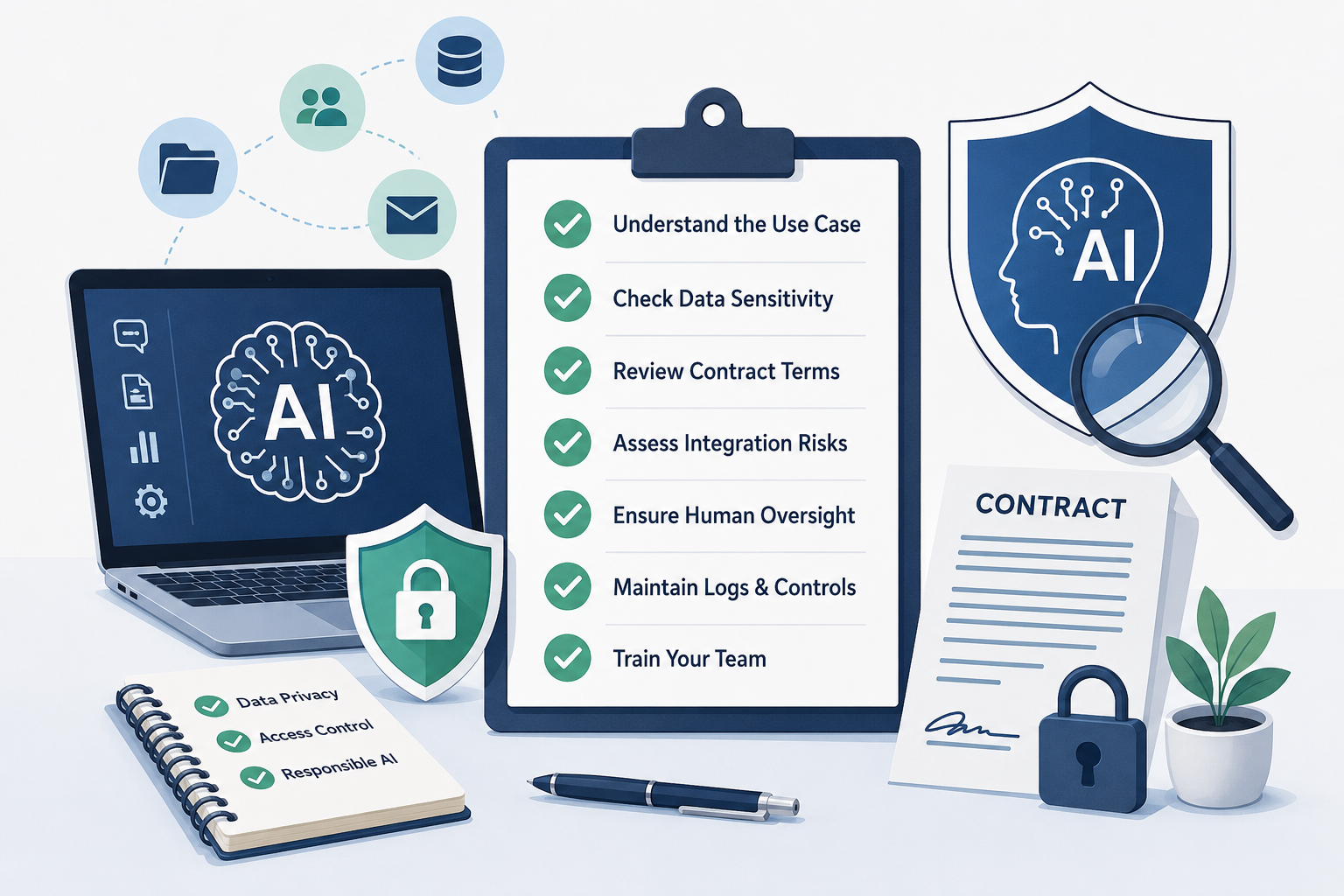
    This checklist helps SMEs know what to look for before using any AI plan with customer data, employee data, company documents, contracts, pricing, code, or business systems.

    How to use this checklist

    Before buying or approving an AI tool, go through the contract, privacy policy, data processing terms, plan documentation, and plugin terms.

    Do not rely only on marketing pages.

    For each item, ask:

    • Is this clearly answered?
    • Does this apply to our exact plan?
    • Does this also apply to plugins, connectors, uploaded files, agents, and feedback?
    • Do we have admin control?
    • Can we switch it off if something goes wrong?

    If the answer is unclear, do not use the tool for sensitive business data until it is clarified.

    What to Check in the ContractWhat SME Should Look ForWhy It Matters
    Plan typeIs it personal, team, business, API, or enterprise?A paid plan is not automatically a business-safe plan.
    Data ownershipDoes the contract clearly say your business retains ownership of inputs, outputs, files, and uploaded data?Prevents confusion over who owns prompts, documents, code, and generated outputs.
    Training useDoes the vendor use your inputs/outputs/files to train or improve models?Business data should not silently become training material.
    Training opt-outCan training use be disabled? Is it disabled by default?Some plans require opting out; some business plans exclude training by default.
    Data retention periodHow long are prompts, files, outputs, logs, and attachments retained?Longer retention increases exposure.
    Zero-retention optionIs zero data retention or short retention available for your plan?Important for customer data, contracts, source code, and sensitive workflows.
    Different retention for different featuresAre chat history, uploaded files, API calls, feedback, voice, connectors, agents, and logs retained differently?A plan may protect normal chats but not plugins, feedback, or connected tools.
    Human review by vendorCan vendor staff or contractors review prompts, outputs, files, or flagged conversations?Human review may expose confidential business information.
    Abuse/safety review exceptionCan data be retained longer if flagged for abuse, security, or policy review?Even “short retention” may have exceptions.
    Sub-processorsDoes the vendor use other companies to host, process, review, or secure your data?Your data may travel through more parties than expected.
    Data locationWhere is the data stored and processed?Relevant for customer contracts, privacy law, and cross-border concerns.
    Data processing agreementIs a DPA available and signed for business/customer data?Clarifies legal responsibility for personal and customer data.
    Confidentiality clauseDoes the vendor contractually commit to protect your confidential information?Marketing claims are weaker than contractual obligations.
    Security certificationsDoes the vendor provide SOC 2, ISO 27001, or equivalent security documentation?Gives some assurance about security controls, though it is not a guarantee.
    Breach notificationWill the vendor notify you if your data is breached? Within what time?You need to know quickly if customer or business data is exposed.
    Admin controlsCan the company control users, access, sharing, history, connectors, and data settings centrally?Prevents employees from individually managing risky settings.
    SSO / MFA / access controlDoes the plan support strong login security?Protects company AI accounts from account takeover.
    Audit logsCan you see who used the AI, what tools were connected, what data was accessed, and what actions were taken?Essential for accountability and incident investigation.
    Connectors and pluginsAre third-party plugins, browser extensions, CRM connectors, Drive connectors, or email integrations covered by the same terms?Often the biggest risk is the connector, not the AI model.
    Agents and actionsCan the AI take actions such as sending emails, updating CRM, creating records, deleting files, or triggering workflows?Action-taking AI needs stronger approval than chat-only AI.
    Write-back controlsCan write actions be disabled or made approval-based?Prevents AI from silently changing business records.
    Scope of data accessCan access be limited to selected folders, fields, projects, or records?Reduces blast radius if something goes wrong.
    Deletion rightsCan you delete prompts, files, outputs, logs, and account data?Important for exits, mistakes, customer requests, and compliance.
    Export rightsCan you export your data before leaving?Prevents vendor lock-in and loss of business knowledge.
    Termination clauseWhat happens to your data after cancellation or non-payment?Some tools retain data even after the account ends.
    Indemnity / liability capWhat compensation is available if vendor failure causes loss?Many contracts heavily limit vendor liability. SMEs should know this.
    IP rights in outputWho owns AI-generated output? Are there usage restrictions?Important for marketing, code, designs, reports, and client deliverables.
    Copyright / infringement protectionDoes the vendor offer any protection if generated output creates IP claims?Useful if AI output is used in public or client-facing work.
    Use restrictionsWhat does the vendor prohibit?SME workflows may accidentally violate usage terms.
    Regulated data restrictionsDoes the plan allow personal data, health data, financial data, children’s data, or government IDs?Some plans prohibit or restrict sensitive data.
    Model improvement feedbackWhat happens if employees click thumbs-up/down or submit feedback?Feedback may be retained longer or reviewed by humans.
    Support accessCan support staff access your workspace to troubleshoot?Support access can expose confidential files or prompts.
    Version/model changesCan the vendor change the model, features, or terms without approval?Output quality, privacy posture, or costs may change suddenly.
    Pricing and usage limitsAre there token limits, overage fees, or throttling?AI can become an uncontrolled operating expense.
    SLA / uptimeDoes the plan provide uptime commitments?Important if the AI becomes part of daily operations.
    Local law and jurisdictionWhich country’s law governs the contract? Where are disputes handled?Affects enforceability and practical remedies.

    In simple English

    The SME should ask these 10 plain-English questions

    Before buying or approving any AI plan, ask the vendor or reseller:

    1. Will our data be used to train or improve your AI models?
    2. Is training use off by default for our exact plan?
    3. How long do you retain prompts, outputs, uploaded files, chat history, logs, and feedback?
    4. Do different features have different data retention rules?
    5. Can your employees, contractors, or reviewers see our data?
    6. Are connectors, plugins, agents, and marketplace apps covered by the same contract?
    7. Can we disable write-back actions like sending emails or updating CRM?
    8. Can we restrict which users and which data fields the AI can access?
    9. Can we delete and export our data when needed?
    10. What happens to our data after we cancel the plan?

    Simple decision rule

    If the AI tool is used only for public content, brainstorming, grammar correction, or learning, the risk may be manageable.

    If the AI tool touches customer data, employee data, contracts, pricing, financials, source code, CRM, email, accounting, ERP, storage, or messaging systems, the SME must review the contract before approving it.

    The safest rule is:

    Approve AI use based on the contract of the exact plan purchased — not based on the vendor’s brand name, popularity, or marketing claims.

  • AI With Accountability — Part 3/3: Where AI Needs Human Stop Rights Inside an SME

    AI With Accountability — Part 3/3: Where AI Needs Human Stop Rights Inside an SME

    In Part 1, we asked a hard question: Can the right accountable human say no at the right point, for the right reason?

    In Part 2, we looked at how AI oversight should be designed without slowing the business down. The goal is not to add human approval everywhere. The goal is to create fast lanes for low-risk work and stop gates where the consequences are serious.

    Now we come to the practical question for small business owners:

    Where exactly does AI need human stop rights inside an SME?

    AI is no longer limited to one department. It is entering marketing, sales, customer support, finance, HR, operations, R&D, software development, legal, data, privacy, and founder decision-making.

    That is why AI accountability cannot be owned only by the “AI person” or the “IT person.”

    Every business function has different risks.

    Every function needs different accountable humans.

    And every serious AI-assisted workflow needs someone who can say:

    “No. Stop. This is not ready.”

    What are stop rights?

    Stop rights are the clearly assigned rights of accountable people to pause, reject, escalate, or override an AI-assisted workflow when risk appears.

    This does not mean anyone can block anything casually.

    It means the business clearly defines:

    • who can approve,
    • who can reject,
    • who can escalate,
    • who can override,
    • and who owns the consequence.

    For SMEs, this matters because teams are often small. One person may wear many hats. The founder may be the sales head, finance approver, data owner, compliance reviewer, and final decision-maker.

    That is normal.

    But the hats should not be invisible.

    When AI accelerates work, unclear accountability becomes dangerous faster.

    The purpose of this article is to help SME owners identify where human stop rights are needed across business functions.


    1. Marketing

    Common AI uses in marketing

    AI is already widely used in marketing for:

    • blog writing,
    • social media posts,
    • ad copy,
    • SEO content,
    • email campaigns,
    • landing page copy,
    • product descriptions,
    • image generation,
    • video scripts,
    • competitor research,
    • customer persona creation.

    For SMEs, this is often one of the easiest places to start using AI because the output is visible and immediate.

    AI can help marketing teams produce content faster, test more ideas, improve language, repurpose material, and reduce dependence on blank-page creativity.

    But marketing is also where AI can quietly create serious business risk.

    What can go wrong?

    • AI may generate persuasive but unsafe claims.
    • It may exaggerate results.
    • It may invent credentials.
    • It may make unsupported comparisons.
    • It may create content that sounds good but does not match the brand’s actual capability.
    • It may produce claims that are risky in regulated areas such as health, finance, education, legal services, medical services, wellness, insurance, or investments.
    • It may copy a tone, structure, or phrase too closely from existing content.
    • It may sound generic and slowly dilute the founder’s voice.
    • It may create culturally inappropriate content for a particular market.
    • It may make the business look larger, more experienced, or more capable than it actually is.

    Who should be accountable?

    Marketing accountability may involve:

    • marketing head,
    • founder,
    • brand owner,
    • compliance owner,
    • product or service owner,
    • legal advisor where needed.

    Who must have stop rights?

    Marketing may draft the message, but marketing should not always be the only function that can approve it.

    Stop rights may belong to:

    • the founder for brand and reputation,
    • compliance for regulated claims,
    • product/service owner for delivery promises,
    • legal advisor for liability-sensitive claims,
    • data/privacy owner if customer data is used.

    Practical rule

    AI may draft marketing content.

    It must not invent proof.

    SME owner question

    Before publishing AI-assisted marketing content, ask:

    “Are we making any claim that we cannot prove, deliver, or defend?”

    If yes, someone must have the authority to stop it.


    2. Sales

    Common AI uses in sales

    AI is used in sales for:

    • prospecting,
    • lead qualification,
    • sales emails,
    • proposal drafts,
    • quotation support,
    • follow-up messages,
    • call summaries,
    • objection handling,
    • CRM notes,
    • meeting preparation,
    • customer research.

    This can be very useful for SMEs because sales teams often struggle with consistency, follow-up discipline, and proposal speed.

    AI can help salespeople respond faster and sound more polished.

    But sales is where AI can easily overpromise.

    What can go wrong?

    • AI may promise features the company does not offer.
    • It may suggest discounts outside approved limits.
    • It may create proposal language that increases liability.
    • It may misunderstand customer requirements.
    • It may make delivery timelines sound more certain than they are.
    • It may include confidential information from another customer.
    • It may produce a proposal that sounds impressive but is commercially weak.
    • It may create inconsistent commitments across different customers.

    The risk is not merely bad writing.

    The risk is that AI-assisted sales communication becomes a business commitment.

    Who should be accountable?

    Sales accountability may involve:

    • sales head,
    • account owner,
    • founder,
    • commercial owner,
    • delivery owner,
    • finance owner for pricing or margins,
    • legal/compliance owner for contractual language.

    Who must have stop rights?

    Stop rights may belong to:

    • sales head for customer relationship,
    • commercial owner for pricing,
    • delivery head for scope and timeline,
    • finance head for margin and payment terms,
    • legal/compliance for contractual exposure,
    • founder for strategic customers.

    Practical rule

    AI can help sell.

    It cannot commit the business beyond approved boundaries.

    SME owner question

    Before sending an AI-assisted proposal, ask:

    “Does this proposal make any promise that sales cannot personally guarantee and delivery cannot confidently execute?”

    If yes, it needs review.


    3. Customer Support

    Common AI uses in customer support

    AI is used in support for:

    • chatbots,
    • FAQ responses,
    • ticket classification,
    • complaint summaries,
    • email drafts,
    • response suggestions,
    • sentiment analysis,
    • call summaries,
    • escalation recommendations,
    • knowledge-base search.

    For SMEs, AI can help improve response speed and reduce repetitive support burden.

    But customer support is not only about answering questions.

    It is also about emotion, trust, escalation, and recovery.

    What can go wrong?

    • AI may give wrong advice.
    • It may misunderstand a customer complaint.
    • It may sound polite but emotionally inappropriate.
    • It may fail to escalate an angry customer.
    • It may keep repeating policy language when empathy is needed.
    • It may promise refunds, replacements, or compensation outside policy.
    • It may expose customer information.
    • It may give unsafe advice in health, finance, legal, technical, or safety-related contexts.
    • It may turn a small support issue into a reputational problem.

    Who should be accountable?

    Support accountability may involve:

    • customer support lead,
    • operations head,
    • founder,
    • product/service owner,
    • compliance owner,
    • data/privacy owner.

    Who must have stop rights?

    Stop rights may belong to:

    • support lead for escalations,
    • operations head for service failures,
    • founder for sensitive customers,
    • compliance for regulated responses,
    • data/privacy owner for customer information exposure.

    Practical rule

    AI may answer routine questions.

    Humans must handle exceptions, emotions, sensitive issues, and commitments.

    SME owner question

    Ask:

    “When should the AI stop responding and hand over to a human?”

    Every AI-assisted support workflow needs a clear answer.


    4. Finance and Accounts

    Common AI uses in finance

    AI is used in finance and accounts for:

    • invoice reading,
    • expense classification,
    • payment reminders,
    • cash-flow summaries,
    • budget variance explanation,
    • financial report drafting,
    • forecasting,
    • tax document summarization,
    • vendor communication,
    • anomaly detection.

    This can reduce manual effort and improve speed.

    But finance is one of the highest-risk areas because AI errors can move money, affect compliance, or distort decision-making.

    What can go wrong?

    • AI may misclassify expenses.
    • It may read invoice data incorrectly.
    • It may produce incorrect summaries.
    • It may generate misleading forecasts.
    • It may miss tax or compliance implications.
    • It may help process fake invoices.
    • It may fail to detect vendor bank detail changes.
    • It may expose financial information to unapproved tools.
    • It may create confidence in numbers that were never properly verified.

    The most dangerous finance risk is not a wrong sentence.

    It is a wrong action.

    Who should be accountable?

    Finance accountability may involve:

    • accountant,
    • finance head,
    • founder,
    • external auditor,
    • tax advisor,
    • compliance owner.

    Who must have stop rights?

    Stop rights may belong to:

    • accountant for record errors,
    • finance head for payments,
    • founder for cash movement,
    • tax advisor for filing and interpretation,
    • auditor/compliance owner for regulatory concerns.

    Practical rule

    AI can assist finance.

    It cannot approve money movement.

    SME owner question

    Ask:

    “Can this AI-assisted workflow cause money to move, records to change, or filings to be made?”

    If yes, it needs strong human authority.

    A simple SME rule:

    Any change in vendor bank details must be verified by a human through a separate channel.


    5. HR and Recruitment

    Common AI uses in HR

    AI is used in HR for:

    • job descriptions,
    • resume screening,
    • candidate summaries,
    • interview questions,
    • employee feedback summaries,
    • performance review drafts,
    • training plans,
    • HR policy drafts,
    • engagement surveys,
    • internal communication.

    AI can help HR teams save time and create more structured documentation.

    But HR decisions affect people’s careers, income, dignity, and opportunities.

    This makes human accountability essential.

    What can go wrong?

    • AI may introduce bias.
    • It may screen candidates unfairly.
    • It may overvalue polished resumes.
    • It may miss unconventional talent.
    • It may produce performance review language that is unfair or insensitive.
    • It may summarize employee feedback without context.
    • It may expose candidate or employee data.
    • It may create an illusion of objectivity.
    • It may make managers less responsible for their own judgment.

    AI in HR is especially risky when the output affects hiring, firing, promotion, compensation, or discipline.

    Who should be accountable?

    HR accountability may involve:

    • HR head,
    • hiring manager,
    • functional head,
    • founder,
    • legal/compliance advisor where needed,
    • data/privacy owner.

    Who must have stop rights?

    Stop rights may belong to:

    • HR for process fairness,
    • hiring manager for role fit,
    • functional head for capability assessment,
    • founder for senior hires,
    • legal/compliance for employment risk,
    • data/privacy owner for candidate and employee data.

    Practical rule

    AI may assist HR.

    Humans must justify people decisions.

    SME owner question

    Ask:

    “Would we be comfortable explaining this AI-assisted decision to the person affected by it?”

    If not, the workflow needs stronger review.


    6. Operations

    Common AI uses in operations

    AI is used in operations for:

    • scheduling,
    • inventory planning,
    • vendor comparison,
    • demand forecasting,
    • route planning,
    • workflow automation,
    • SOP drafting,
    • quality issue categorization,
    • process documentation,
    • resource planning.

    AI can help operations become more consistent and responsive.

    But operations is where AI can automate confusion if the underlying process is weak.

    What can go wrong?

    • AI may optimize one part of the process while damaging another.
    • It may create unrealistic schedules.
    • It may misread demand.
    • It may recommend poor inventory decisions.
    • It may generate SOPs that miss practical realities.
    • It may route work incorrectly.
    • It may make supplier recommendations without due diligence.
    • It may automate exceptions as if they were normal.
    • It may create dependency on a process nobody fully understands.

    Who should be accountable?

    Operations accountability may involve:

    • operations head,
    • process owner,
    • quality manager,
    • delivery manager,
    • plant manager where applicable,
    • founder,
    • compliance/safety owner.

    Who must have stop rights?

    Stop rights may belong to:

    • operations head for workflow disruption,
    • quality owner for process defects,
    • safety owner for unsafe procedures,
    • delivery owner for customer impact,
    • founder for business continuity risk.

    Practical rule

    Do not automate a process you cannot explain.

    SME owner question

    Ask:

    “Are we using AI to improve a process, or are we using AI to hide that the process is unclear?”

    If the process is unclear, fix the process before automating it.


    7. R&D, Product Development, and Innovation

    Common AI uses in R&D

    AI is used in R&D and product development for:

    • literature review,
    • patent search assistance,
    • product concept generation,
    • technical feasibility analysis,
    • design alternatives,
    • simulation support,
    • experiment planning,
    • test plan generation,
    • prototype documentation,
    • competitor technology mapping,
    • research summaries.

    AI can be extremely useful in R&D because it can widen exploration, accelerate documentation, and help teams think through alternatives.

    But R&D risk is subtle.

    • AI can make weak ideas sound strong.
    • It can make untested assumptions sound validated.
    • It can make incomplete research sound complete.

    What can go wrong?

    • AI may create false technical confidence.
    • It may miss prior art.
    • It may misunderstand scientific or engineering papers.
    • It may summarize research without limitations.
    • It may suggest unsafe materials, tolerances, circuits, chemicals, or process parameters.
    • It may expose confidential product ideas to external tools.
    • It may blur the line between concept, prototype, validation, and commercialization.
    • It may encourage premature claims.
    • It may make a demo look like proof.

    This is especially dangerous because R&D decisions often shape future investments.

    A wrong assumption early can become expensive later.

    Who should be accountable?

    R&D accountability may involve:

    • R&D head,
    • product owner,
    • technical lead,
    • founder,
    • IP/legal advisor,
    • compliance/safety owner,
    • data/privacy owner if confidential data is used.

    Who must have stop rights?

    Stop rights may belong to:

    • R&D lead for technical validity,
    • technical reviewer for feasibility,
    • IP/legal advisor for disclosure and novelty risk,
    • compliance/safety owner for unsafe assumptions,
    • founder for commercialization decisions,
    • data/privacy owner for confidential information exposure.

    Practical rule

    AI can accelerate R&D thinking.

    It cannot replace validation, testing, IP judgment, or engineering accountability.

    SME owner question

    Ask:

    “Are we treating an AI-generated idea as a hypothesis, or as evidence?”

    If it is only a hypothesis, it must not be sold as proof.


    8. IT and Software Development

    Common AI uses in software and IT

    AI is used in software for:

    • code generation,
    • bug fixing,
    • test writing,
    • documentation,
    • database queries,
    • architecture suggestions,
    • DevOps scripts,
    • security scanning,
    • low-code or no-code app generation,
    • log analysis,
    • technical troubleshooting.

    AI can make software teams faster.

    But it can also make weak technical judgment more dangerous.

    This is especially important for SMEs because many depend on external vendors, freelancers, or small internal teams.

    What can go wrong?

    • AI may generate code that appears to work but is insecure.
    • It may introduce hidden bugs.
    • It may use outdated packages.
    • It may create architecture debt.
    • It may expose credentials.
    • It may generate code nobody understands.
    • It may pass the happy path but fail edge cases.
    • It may produce tests that confirm the wrong behavior.
    • It may make the human reviewer lazy because the output looks professional.
    • It may create “AI-generated, AI-reviewed, human-rubber-stamped” code.
    • A working demo is not the same as a production-ready system.

    Who should be accountable?

    IT/software accountability may involve:

    • developer,
    • technical lead,
    • CTO,
    • vendor owner,
    • security reviewer,
    • data/privacy owner,
    • founder where the system is business-critical.

    Who must have stop rights?

    Stop rights may belong to:

    • technical lead for architecture,
    • security reviewer for vulnerabilities,
    • data/privacy owner for data exposure,
    • product owner for user impact,
    • founder for business-critical deployment,
    • vendor owner for outsourced delivery risk.

    Practical rule

    AI-generated code is not owned until a competent human can explain, maintain, and defend it.

    SME owner question

    Ask:

    “If the person who generated this code leaves, can the business still understand, maintain, and safely operate it?”

    If the answer is no, the code is not truly owned.


    9. Legal, Compliance, and Contracts

    Common AI uses in legal and compliance

    AI is used for:

    • contract summarization,
    • clause explanation,
    • policy drafting,
    • terms and conditions drafts,
    • compliance checklist creation,
    • legal email drafting,
    • vendor agreement review,
    • customer contract comparison,
    • regulatory research.

    AI can help SMEs understand documents faster and prepare better questions.

    But legal and compliance areas are dangerous because AI can sound authoritative even when it is wrong.

    What can go wrong?

    • AI may misinterpret law.
    • It may ignore jurisdiction.
    • It may miss critical clauses.
    • It may give outdated or incomplete advice.
    • It may summarize a contract in a way that hides important risk.
    • It may produce terms that do not match actual business practice.
    • It may create false confidence before signing.
    • It may expose confidential legal documents to unapproved tools.
    • It may make the founder believe something has been legally reviewed when it has only been AI-summarized.

    Who should be accountable?

    Legal/compliance accountability may involve:

    • founder,
    • legal advisor,
    • compliance owner,
    • finance owner for commercial clauses,
    • data/privacy owner for data terms,
    • business function head for operational commitments.

    Who must have stop rights?

    Stop rights may belong to:

    • legal advisor for legal exposure,
    • founder for signing authority,
    • compliance owner for regulatory risk,
    • finance owner for payment and liability terms,
    • data/privacy owner for data processing clauses,
    • delivery owner for service obligations.

    Practical rule

    AI can summarize a contract.

    It cannot carry the legal consequence of signing it.

    SME owner question

    Ask:

    “Are we using AI to understand the document better, or are we using it as a substitute for accountable legal judgment?”

    For low-risk internal understanding, AI may help.

    For signing, liability, employment, customer contracts, investor agreements, or regulated matters, human expertise is required.


    10. Data, Privacy, and Security

    Common AI uses involving data

    AI is used for:

    • data analysis,
    • customer segmentation,
    • CRM enrichment,
    • document processing,
    • meeting transcription,
    • email summarization,
    • internal knowledge search,
    • employee productivity tools,
    • customer support automation,
    • report generation.

    Data is the foundation of many AI workflows.

    That makes data, privacy, and security one of the most important accountability areas.

    What can go wrong?

    • Employees may upload customer data into public AI tools.
    • Confidential documents may be processed by unapproved systems.
    • Employee data may be exposed.
    • Financial information may be shared without control.
    • Source code may be copied into external tools.
    • Customer conversations may be stored or reused in ways the business does not understand.
    • The company may lose visibility into where its data is going.
    • The business may violate customer trust, contractual obligations, or data protection requirements.

    The risk is not only whether AI gives the wrong answer.

    The risk is whether the business has lost control of its information.

    Who should be accountable?

    Data/privacy/security accountability may involve:

    • founder,
    • IT head,
    • data protection owner,
    • security owner,
    • compliance owner,
    • department head using the data.

    Who must have stop rights?

    Stop rights may belong to:

    • data/privacy owner for sensitive information,
    • IT/security owner for tool approval,
    • compliance owner for regulatory exposure,
    • founder for customer trust and business risk,
    • department head for business context.

    Practical rule

    If you would not put the data in a public email, do not casually put it into an AI tool.

    SME owner question

    Ask:

    “What data are we giving to AI, where does it go, who can access it, and can we explain this to a customer?”

    If the answer is unclear, stop and review.

    A simple data classification can help:

    Data typeAI usage rule
    Public dataUsually safe
    Internal non-sensitive dataUse with caution
    Customer dataApproved tools only
    Employee dataApproved tools only
    Financial dataRestricted
    Health, legal, or sensitive dataHigh control or avoid public tools
    Passwords, keys, credentialsNever upload

    11. Founder and CEO Decision-Making

    Common AI uses by founders

    Founders and business owners use AI for:

    • strategy brainstorming,
    • market research,
    • competitor analysis,
    • business model thinking,
    • financial interpretation,
    • hiring plans,
    • investment decisions,
    • board notes,
    • pitch decks,
    • policy drafts,
    • decision support.

    This is one of the most powerful uses of AI.

    A thoughtful founder can use AI as a thinking partner.

    But this is also where AI can become dangerous if the founder stops challenging the output.

    What can go wrong?

    • AI may support what the founder already wants to believe.
    • It may produce strategic confidence without ground reality.
    • It may sound like research when it is only synthesis.
    • It may miss local context.
    • It may ignore execution constraints.
    • It may simplify complex people issues.
    • It may make risky decisions look rational.
    • It may encourage the founder to outsource judgment.

    The founder’s risk is not that AI will make a decision.

    The risk is that AI will make a weak decision feel intelligent.

    Who should be accountable?

    For founder-level decisions, the founder remains accountable.

    But depending on the decision, input may be needed from:

    • finance,
    • legal,
    • sales,
    • operations,
    • HR,
    • technical team,
    • external advisor,
    • customer-facing team,
    • compliance or data owner.

    Who must have stop rights?

    At the founder level, the founder must remain willing to say no to:

    • the AI,
    • the consultant,
    • the vendor,
    • the internal team,
    • the investor pressure,
    • the customer pressure,
    • and sometimes their own excitement.

    For major decisions, the founder should actively invite challenge.

    Practical rule

    AI can improve founder thinking.

    It must not replace founder judgment.

    SME owner question

    Ask:

    “What assumption is this AI output making that may not be true in my business?”

    This one question can prevent many poor decisions.


    12. Procurement and Vendor Management

    Common AI uses in procurement

    AI is used for:

    • vendor comparison,
    • quotation analysis,
    • purchase order drafting,
    • supplier research,
    • contract summarization,
    • cost benchmarking,
    • risk scoring,
    • email negotiation drafts,
    • specification writing.

    For SMEs, procurement decisions often look simple but can create long-term consequences.

    AI can help compare options, but it may not understand practical reliability, after-sales support, hidden costs, or local service quality.

    What can go wrong?

    • AI may recommend a vendor based on incomplete information.
    • It may over-focus on price.
    • It may miss warranty or support limitations.
    • It may misunderstand technical specifications.
    • It may suggest unsuitable alternatives.
    • It may summarize supplier terms incorrectly.
    • It may expose commercial quotations to unapproved tools.
    • It may create a false sense of objective comparison.

    Who should be accountable?

    Procurement accountability may involve:

    • procurement owner,
    • finance owner,
    • technical/user department,
    • operations head,
    • founder,
    • legal/compliance where needed.

    Who must have stop rights?

    Stop rights may belong to:

    • user department for suitability,
    • finance for cost and payment terms,
    • operations for continuity risk,
    • technical team for specification fit,
    • legal/compliance for contract terms,
    • founder for strategic vendors.

    Practical rule

    AI can compare vendors.

    It cannot replace due diligence.

    SME owner question

    Ask:

    “Are we choosing the best vendor, or just the best-looking AI-generated comparison?”


    13. Training and Knowledge Management

    Common AI uses

    AI is used for:

    • training content,
    • SOP explanations,
    • onboarding guides,
    • internal knowledge bases,
    • policy summaries,
    • quizzes,
    • learning plans,
    • documentation,
    • meeting summaries.

    This is a useful and relatively safe area when managed well.

    But even here, mistakes can spread.

    What can go wrong?

    • AI may teach outdated information.
    • It may simplify complex rules incorrectly.
    • It may create training material that does not match actual company practice.
    • It may produce confident but wrong answers in internal knowledge tools.
    • It may cause employees to rely on AI summaries instead of primary documents.
    • It may spread one mistake across the whole team.

    Who should be accountable?

    Accountability may involve:

    • HR/training lead,
    • process owner,
    • department head,
    • compliance owner,
    • founder for company-wide policies.

    Who must have stop rights?

    Stop rights may belong to:

    • process owner for operational accuracy,
    • HR/training lead for learning quality,
    • compliance for policy-sensitive material,
    • department head for practical relevance.

    Practical rule

    AI can help create training material.

    The process owner must validate what is being taught.

    SME owner question

    Ask:

    “If employees follow this AI-generated training exactly, will they do the work correctly and safely?”

    If not, revise before release.


    The SME AI Accountability Map

    Once you identify where AI is used, maintain a simple accountability map.

    This does not need to be complex.

    A spreadsheet is enough to start.

    AI use caseFunctionTool usedData usedOutput producedAccountable personWho can stop it?Risk level
    Blog draftingMarketingAI writing toolPublic/product infoArticle draftMarketing head/founderFounder/complianceMedium
    Proposal draftSalesAI writing toolCustomer requirementsCommercial proposalSales headCommercial owner/founderHigh
    Invoice extractionFinanceAI/OCR toolVendor invoicesPayment-ready dataFinance headFounder/finance approverHigh
    Resume screeningHRAI resume toolCandidate resumesShortlistHR headHiring manager/founderHigh
    Code generationITCoding assistantCodebaseCode changesTech leadCTO/security/founderCritical
    R&D idea reviewR&DAI research toolTechnical notesConcept summaryR&D headTechnical/IP/compliance ownerHigh
    Customer chatbotSupportAI chatbotCustomer queriesResponsesSupport leadOperations head/founderHigh
    Contract summaryLegalAI assistantContract documentRisk summaryFounder/legal advisorLegal/founderHigh
    Customer data analysisDataAI analytics toolCustomer dataSegments/reportData ownerPrivacy/security ownerHigh

    This table gives the owner visibility.

    It answers the basic questions:

    • Where is AI being used?
    • What data is involved?
    • What output is produced?
    • Who owns it?
    • Who can stop it?
    • What is the risk level?

    Without this visibility, AI adoption becomes invisible risk.


    Minimum AI governance for SMEs

    SMEs do not need to start with a large corporate AI policy.

    But they do need minimum controls.

    Start with seven practical controls.

    1. Approved AI tools list

    • Which tools are allowed?
    • Which tools are restricted?
    • Which tools are prohibited?
    • Which tools can be used only with public or non-sensitive data?

    2. Data classification

    Define what employees can and cannot upload.

    At minimum, classify data as:

    • public,
    • internal,
    • customer,
    • employee,
    • financial,
    • confidential,
    • sensitive,
    • credentials/secrets.

    3. Risk classification

    Classify AI use cases as:

    • low risk,
    • medium risk,
    • high risk,
    • critical risk.

    4. Named accountability

    Every important AI workflow must have one accountable person.

    Not a department.

    Not “the team.”

    One named human.

    5. Stop rights

    Define who can pause, reject, escalate, or override the workflow.

    6. Review and approval rules

    Define when human review is enough and when independent review is needed.

    Use simple principles:

    • low-risk work moves fast,
    • medium-risk work gets reviewed,
    • high-risk work gets approved,
    • critical-risk work gets independent review.

    7. Logs for high-risk use

    For high-risk and critical workflows, keep a simple record of:

    • tool used,
    • data used,
    • output produced,
    • reviewer,
    • approver,
    • decision,
    • changes made.

    These seven controls are enough for many SMEs to move from blind AI usage to accountable AI adoption.


    A 30-day action plan for SME owners

    If you are an SME owner, do not wait for a perfect policy.

    Start with a 30-day practical review.

    Week 1: Discover

    Ask each function:

    • Are you using AI?
    • Which tools are you using?
    • What data are you uploading?
    • What outputs are you creating?
    • Are customers seeing any AI-assisted output?
    • Are decisions being influenced by AI?

    The goal is visibility.

    Week 2: Classify

    Classify each AI use case by risk.

    Ask:

    • Is customer data involved?
    • Is employee data involved?
    • Is money involved?
    • Is legal or compliance exposure involved?
    • Is the output customer-facing?
    • Is the decision hard to reverse?
    • What is the blast radius if wrong?

    The goal is risk clarity.

    Week 3: Assign accountability

    For each important AI use case, define:

    • user,
    • reviewer,
    • accountable person,
    • stop-right owner,
    • escalation person.

    The goal is ownership.

    Week 4: Create controls

    Define:

    • approved tools,
    • prohibited data,
    • review rules,
    • approval thresholds,
    • escalation triggers,
    • stop rights,
    • logging rules for high-risk use.

    The goal is accountable speed.

    In 30 days, an SME does not need to become a large enterprise.

    But it can stop being blind.


    The founder’s checklist

    Before allowing AI into a business workflow, ask:

    1. What is AI being used for?
    2. Which tool is being used?
    3. What data is being shared?
    4. Is the output internal or external?
    5. Could this affect customers?
    6. Could this affect money?
    7. Could this affect people?
    8. Could this affect compliance?
    9. Could this expose confidential data?
    10. Could this damage trust if wrong?
    11. Who reviews the output?
    12. Who owns the final decision?
    13. Who can say no?
    14. Can the workflow be paused?
    15. Can the decision be reversed?
    16. Is there a log for high-risk use?
    17. Is the team trained to recognize when AI may be wrong?

    This checklist is simple, but powerful.

    It turns AI from invisible experimentation into visible accountability.


    Conclusion

    AI is entering every part of the SME.

    Not as one big system.

    But quietly, through daily work.

    • A marketing person uses it for posts.
    • A sales person uses it for proposals.
    • An accountant uses it for invoices.
    • An HR person uses it for resumes.
    • A developer uses it for code.
    • A founder uses it for strategy.
    • A support team uses it for customer replies.
    • An R&D team uses it for ideas.

    This is not wrong.

    In fact, it can be very useful.

    But usefulness without accountability becomes risk.

    The question for SMEs is no longer:

    “Are we using AI?”

    Most likely, the answer is already yes.

    The real questions are:

    • Where are we using it?
    • What data are we giving it?
    • Which outputs are we trusting?
    • Which decisions are being influenced?
    • Who owns the consequence?
    • And who can stop the process when something is not right?

    This is the heart of AI with accountability.

    Human oversight is not a checkbox.

    It is a system of role clarity, risk classification, stop rights, and accountable decision-making.

    Small businesses do not need big-company bureaucracy.

    But they do need to know where AI is operating inside the business, who is responsible, and who has the authority to say:

    “No. Stop. This is not ready.”

    That is how SMEs can use AI without surrendering judgment.

    That is how they can gain speed without losing control.

    And that is how AI becomes not just a productivity tool, but a responsible business capability.

    About the Author

    Bhagath Singh Karunakaran is an entrepreneur, systems thinker, and deep-tech practitioner with over two decades of experience across software, IoT, Industry 4.0, and AI-led business transformation. He is the founder of i45G, where he works with SMEs, institutions, and leaders on practical technology adoption, systems thinking, workforce readiness, and AI-enabled business transformation.

    Through his writing and consulting, he focuses on helping business owners and decision-makers move beyond hype and adopt technology with clarity, ownership, and measurable value.
  • AI With Accountability — Part 2/3: Designing AI Oversight Without Slowing the Business Down

    AI With Accountability — Part 2/3: Designing AI Oversight Without Slowing the Business Down

    In Part 1, we looked at a simple but uncomfortable question:

    Can the right accountable human say no at the right point, for the right reason?

    That question is important because “human-in-the-loop” is often used too casually. A human may be present in the process, but may not have the clarity, competence, confidence, authority, or organizational support to stop a risky AI-assisted decision.

    But there is another side to the problem.

    If every AI-assisted output has to pass through multiple humans, then where is the productivity gain?

    If every marketing message, sales email, customer response, invoice classification, code change, research summary, or internal report needs several approvals, the business may become slower than before.

    That is a real concern.

    AI oversight should not become a traffic jam.

    The purpose of AI adoption is to improve speed, quality, consistency, decision support, and productivity. If human oversight is designed badly, it can kill the very benefit AI was supposed to create.

    So the goal is not to add humans everywhere.

    The goal is to design intelligent human intervention.

    AI productivity does not come from removing humans everywhere. It comes from removing unnecessary human effort while preserving necessary human judgment.

    That is why AI oversight is both art and science.

    AI oversight is both art and science

    When AI is introduced into a business workflow, we are not working on a dead machine. We are operating on a beating heart.

    • Sales must continue.
    • Customers must be served.
    • Payments must move.
    • Teams must deliver.
    • Decisions must be made.

    The business cannot be placed under permanent anesthesia in the name of safety.

    At the same time, speed without control is dangerous.

    This is the central design challenge.

    The science of AI oversight is in classification, thresholds, roles, review points, logs, escalation paths, and override mechanisms.

    The art is in knowing where to place those controls so that the business remains fast without becoming reckless.

    Too little oversight creates blind trust.

    Too much oversight creates paralysis.

    Good AI adoption lives between the two.

    Bad governance treats everything the same

    There are two common mistakes.

    The first mistake is to treat every AI use case as dangerous.

    • This creates unnecessary approvals, slows people down, and frustrates teams. If an employee uses AI to improve grammar in an internal note, that does not need the same level of oversight as an AI-assisted payment workflow.

    The second mistake is worse: treating every AI use case as harmless.

    • This creates hidden risk. A business may allow AI-generated customer commitments, HR decisions, financial assumptions, legal summaries, production code, or data-heavy workflows to move forward with only superficial review.

    Both approaches are weak.

    Good AI governance treats different risks differently.

    Start with risk classification

    The first step is to classify AI use cases by consequence.

    Not all AI usage carries the same risk.

    • A grammar correction is not the same as a legal interpretation.
    • A blog idea is not the same as a hiring decision.
    • A meeting summary is not the same as a payment approval.
    • An internal brainstorm is not the same as a public claim.
    • An experimental code snippet is not the same as production deployment.

    A practical SME classification can look like this:

    Risk levelAI use caseOversight style
    LowGrammar, formatting, brainstorming, public information summariesFast lane with basic human judgment
    MediumReports, proposals, customer emails, internal analysisHuman review by the responsible function
    HighHR, finance, legal, customer commitments, data-heavy workflowsNamed accountable approval
    CriticalSafety, health, payments, production code, sensitive data, regulatory exposureIndependent review, stop rights, logs, override or rollback

    The point is simple:

    The higher the consequence, the stronger the oversight.

    Fast lanes and stop gates

    A useful way to think about AI oversight is like traffic design.

    A city does not put a traffic signal every ten metres. That would paralyze movement.

    But it also does not remove all signals in the name of speed.

    • There are fast lanes.
    • There are speed breakers.
    • There are red lights.
    • There are emergency stops.

    Business workflows need similar design.

    • Low-risk AI work should move through fast lanes.
    • Medium-risk work may need a speed breaker.
    • High-risk work needs a stop gate.
    • Critical-risk work may need an emergency brake.
    Workflow typeTraffic analogyAI oversight approach
    Low-riskFast laneMove quickly with basic review
    Medium-riskSpeed breakerSlow down and verify
    High-riskRed lightExplicit accountable approval
    Critical-riskEmergency brakeStop until independent review is complete

    This is how SMEs can avoid both extremes: blind AI usage on one side and unnecessary bureaucracy on the other.

    The question is not whether every AI output needs approval.

    The question is where approval genuinely matters.

    Reversibility matters

    A key design question is:

    Can the mistake be easily reversed?

    Some AI errors can be corrected quickly.

    Some cannot.

    • If AI suggests a weak blog headline, the risk is low. You can change it.
    • If AI summarizes a meeting imperfectly, someone can correct the notes.
    • If AI creates a poor internal draft, it can be rewritten.

    But some mistakes are hard to reverse.

    • A wrong payment may not be recoverable.
    • A confidential document uploaded into an unapproved AI tool cannot easily be pulled back.
    • A misleading public claim can damage trust.
    • A poor hiring decision can set back the business by few years.
    • A weak software change can create a security vulnerability.
    • A wrong legal interpretation can create liability.
    • A flawed R&D assumption can send a product team in the wrong direction.

    So oversight should increase when reversibility decreases.

    The less reversible the decision, the stronger the human authority must be.

    Blast radius matters

    Risk is not only about whether the AI output is wrong.

    It is also about how far the wrong output can travel.

    • A wrong internal note may affect one person.
    • A wrong customer email may affect one relationship.
    • A wrong automated email campaign may affect thousands of customers.
    • A wrong chatbot answer may be repeated all day.
    • A wrong pricing rule may affect revenue.
    • A wrong production code change may affect every user.
    • A wrong data workflow may expose sensitive information across the business.

    This is called blast radius.

    The larger the blast radius, the stronger the oversight should be.

    Low blast radiusHigh blast radius
    One employee’s internal noteAutomated message to all customers
    Draft ideaPublic campaign
    Test codeProduction deployment
    Internal analysisBoard or investor decision
    Manual customer replyAI chatbot response at scale
    Individual document summaryCompany-wide policy change

    AI makes blast radius more important because AI can scale outputs quickly.

    One bad human decision may stay local.

    One bad AI-assisted workflow may travel across the business.

    That is why AI oversight must consider not only the output, but the reach of the output.

    Confidence is not certainty

    AI outputs often sound confident.

    • They are well written.
    • They are structured.
    • They are fluent.
    • They may include tables, logic, examples, and conclusions.

    This creates a psychological risk.

    The smoother the AI output sounds, the more tempting it is to skip review.

    • But fluency is not truth.
    • Confidence is not certainty.
    • Structure is not accuracy.
    • A polished answer can still be wrong.

    This matters especially in areas such as:

    • tax,
    • law,
    • HR,
    • finance,
    • medical or health-related claims,
    • technical design,
    • software security,
    • compliance,
    • R&D,
    • market research,
    • customer commitments.

    SMEs should not decide review depth based on how confident the AI output sounds.

    They should decide review depth based on the consequence of being wrong.

    Use thresholds, not blanket approvals

    Good AI workflow design does not ask humans to review everything.

    It asks humans to review what crosses a threshold.

    For example:

    • AI can draft customer replies, but refund promises above a certain value need approval.
    • AI can help classify invoices, but payments above a certain amount need finance approval.
    • AI can help write code, but production deployment needs technical review.
    • AI can summarize contracts, but signing decisions need legal or founder review.
    • AI can generate social media drafts, but regulated claims need compliance review.
    • AI can create candidate summaries, but hiring decisions need human justification.
    • AI can analyze sales leads, but enterprise deals need account-owner review.
    • AI can suggest product ideas, but commercialization needs R&D validation.

    Thresholds preserve speed.

    They allow routine work to move quickly while sending higher-risk work to the right human.

    A good threshold may be based on:

    • money,
    • customer impact,
    • legal exposure,
    • data sensitivity,
    • number of people affected,
    • reversibility,
    • confidence level,
    • novelty,
    • exception status,
    • operational criticality.

    This is where AI oversight becomes a design problem, not a policy slogan.

    The four-eyes principle

    Many businesses already use a version of this idea in finance, even if they do not call it the four-eyes principle.

    One person prepares a payment. Another person approves it.

    One person enters vendor bank details. Another person verifies them.

    One person creates a purchase order. Another person authorizes the spend.

    The idea is simple:

    When the consequence is serious, the same person should not initiate, verify, and approve everything alone.

    The four-eyes principle is not about mistrust.

    It is about reducing blind spots.

    AI adoption needs a similar discipline.

    The person using AI may not always be the right person to approve the AI output.

    • A sales executive may use AI to draft a proposal, but the commercial owner must approve pricing and commitments.
    • A marketer may use AI to write a claim, but the compliance owner may need to reject it.
    • A developer may use AI to generate code, but the technical lead must decide whether it is safe to deploy.
    • An accounts executive may use AI to process invoices, but the finance owner must approve payment.
    • An HR person may use AI to summarize resumes, but the hiring manager must own the final decision.

    The AI version of the four-eyes principle is this:

    The person closest to the AI output should not always be the only person allowed to approve it.

    Beyond four eyes: 2oo3 thinking

    In safety and industrial systems, there is an idea called 2oo3 logic.

    It means “two out of three.”

    In simple terms, the system does not depend on one signal alone. It looks for agreement across independent signals.

    For example, if three pressure sensors monitor a boiler and two of them show dangerous pressure, the system does not wait for all three to agree. It treats the condition as serious and triggers the safety action.

    The idea is simple:

    • One signal can be wrong.
    • Two independent signals agreeing is harder to ignore.

    This idea is useful for high-consequence AI decisions.

    Many businesses currently operate with a weak 1oo1 model without realizing it.

    • One AI output.
    • One user accepts it.
    • One approval click.
    • One assumption becomes action.

    That may be fine for low-risk work.

    But for high-risk work, one person, one tool, or one perspective may not be enough.

    For critical AI-assisted decisions, SMEs may need a human version of 2oo3 thinking.

    Not every decision needs three approvals.

    But when the consequence is serious, the business should not depend on one perspective alone.

    AI use casePossible independent perspectives
    AI-generated contractCommercial owner + legal/compliance + founder
    AI-generated production codeDeveloper + technical lead + security/data owner
    AI-assisted R&D conclusionR&D lead + technical reviewer + IP/compliance reviewer
    AI-generated product claimMarketing + compliance + founder
    AI-assisted hiring decisionHR + hiring manager + function head
    AI-assisted payment workflowAccounts + finance approver + vendor verification

    For critical AI decisions, disagreement is not friction.

    It is signal.

    If two independent accountable people see risk, the business should pause.

    The goal is not to create committees.

    The goal is to prevent one person, one tool, or one assumption from carrying too much risk.

    Independence matters

    Review is stronger when the reviewer brings an independent perspective.

    A second approval click from someone who does not understand the issue adds little value.

    A meaningful review comes from someone who sees a different risk.

    • Marketing may see persuasion.
    • Compliance may see regulatory exposure.
    • Sales may see customer opportunity.
    • Delivery may see execution risk.
    • Finance may see margin or payment risk.
    • Technology may see architecture risk.
    • Security may see data exposure.
    • R&D may see validation gaps.
    • The founder may see reputation and strategy.

    The value of review comes from independence, not from adding another approval click.

    This is why “multi-eyes” review should not mean random approvals.

    It should mean independent accountable perspectives.

    Exception handling: what happens when things feel wrong?

    A good AI workflow is not defined only by what happens when everything goes right.

    It is defined by what happens when something feels wrong.

    Every AI-assisted workflow should define escalation triggers.

    For example, escalate when:

    • the user does not understand the AI output,
    • the AI output affects money,
    • the AI output affects a person,
    • the AI output is customer-facing,
    • sensitive data is involved,
    • the AI gives different answers for the same question,
    • the output contains legal, health, financial, or compliance claims,
    • the customer is angry or vulnerable,
    • the recommendation contradicts human experience,
    • the AI seems confident but the reviewer is unsure,
    • the process crosses a defined threshold.

    This is important because many AI failures will not announce themselves clearly.

    They may appear as a small discomfort.

    A reviewer may think:

    “This looks fine, but something feels off.”

    The business must make it acceptable to pause at that point.

    If employees are punished for slowing things down, they will ignore weak signals.

    If they are supported for raising valid concerns, AI adoption becomes safer and stronger.

    Override and rollback

    Before deploying AI into any meaningful workflow, ask:

    • Can a human override it?
    • Can the process be paused?
    • Can the system revert to manual mode?
    • Can a wrong output be corrected?
    • Can the business trace what happened?
    • Can customers be informed if needed?

    If there is no override or rollback, the business is not in control.

    This is especially important when AI is used in:

    • customer support automation,
    • payment workflows,
    • data processing,
    • hiring systems,
    • production software,
    • pricing,
    • contract workflows,
    • operational decisions,
    • R&D or engineering decisions.

    AI workflow design should include a way to stop the system without collapsing the business.

    That may mean:

    • disabling automation,
    • routing to manual approval,
    • reverting a software change,
    • pausing a campaign,
    • recalling a proposal,
    • correcting a customer communication,
    • freezing a payment,
    • escalating to founder review.

    Oversight is not only about approval before action.

    It is also about recovery after error.

    Logs and traceability

    For low-risk AI use, detailed logs may not be necessary.

    But for high-risk AI use, the business should know what happened.

    • What tool was used?
    • What data was used?
    • What output was produced?
    • Who reviewed it?
    • Who approved it?
    • Who rejected it?
    • Who overrode it?
    • What changed after review?

    If nobody can explain how an AI-assisted decision was made, nobody truly owns it.

    This does not mean SMEs need complex enterprise systems from day one.

    A simple spreadsheet or register may be enough to start.

    For important AI workflows, maintain a basic AI accountability log:

    AI use caseTool usedData usedOutputReviewerApproverRisk levelDecision
    Proposal draftAI writing toolCustomer requirementsCommercial proposalSales headFounderHighApproved after pricing edit
    Invoice classificationAI/OCR toolVendor invoicesPayment listAccountantFinance ownerHighTwo entries corrected
    Code generationCoding assistantCodebaseFeature changeDeveloperTech leadCriticalRejected for security issue
    Campaign copyAI writing toolProduct brochurePublic ad copyMarketingCompliance/founderMedium/HighClaim modified
    Candidate summaryAI resume toolCandidate resumesShortlistHRHiring managerHighShortlist revised

    A simple log can reveal patterns.

    If AI outputs are repeatedly corrected in the same area, the workflow needs improvement.

    If employees keep rejecting the same type of output, the prompt, tool, process, or training may be weak.

    A rejected AI output is not only a failed output.

    It is training data for better workflow design.

    Sampling and audit

    Checking everything is not practical.

    Checking nothing is risky.

    A useful middle path is sampling.

    For lower-risk or repetitive AI workflows, SMEs can periodically review samples.

    For example:

    • review 10% of AI-generated customer support replies,
    • audit a sample of AI-classified invoices,
    • inspect monthly AI-generated sales summaries,
    • review random CRM notes generated by AI,
    • test AI chatbot responses against actual policy,
    • check AI-generated reports for factual errors,
    • review a sample of AI-assisted candidate summaries.

    This is similar to quality control in manufacturing.

    Good oversight does not always mean checking everything.

    Sometimes it means checking the right sample often enough to detect drift.

    Sampling helps preserve productivity while still catching problems.

    Role clarity in small businesses

    In SMEs, the same person may perform several roles.

    That is normal.

    A founder may be the CEO, sales head, finance approver, compliance reviewer, data owner, and final escalation point.

    But the role must still be clear.

    When approving an AI-generated customer proposal, is the founder approving it as the sales owner, finance owner, legal risk owner, delivery owner, or brand owner?

    When accepting an AI-generated automation, is the operations manager checking productivity, customer impact, safety, data exposure, or compliance?

    When approving AI-generated code, is the reviewer checking whether it works, whether it is maintainable, whether it is secure, or whether it fits the architecture?

    In small businesses, one person may wear many hats.

    AI oversight fails when the hats become invisible.

    A simple way to handle this is to define the role being played at the point of approval.

    For example:

    • “Approved from pricing perspective.”
    • “Approved from brand perspective.”
    • “Rejected from data privacy perspective.”
    • “Approved for internal use only.”
    • “Approved for pilot, not production.”
    • “Approved subject to legal review.”
    • “Rejected until technical validation is complete.”

    This brings clarity without creating bureaucracy.

    Good friction and bad friction

    Not all friction is bad.

    Some friction protects the business.

    • A vendor bank detail verification may feel slow, but it prevents fraud.
    • A legal review may delay a contract, but it prevents liability.
    • A technical review may slow deployment, but it prevents outages.
    • A compliance check may slow marketing, but it protects trust.
    • A data review may slow automation, but it prevents exposure.

    The goal is not zero friction.

    The goal is useful friction.

    Bad friction is unnecessary delay created by unclear ownership, repeated approvals, vague policies, and fear.

    Good friction is a deliberate pause at a high-risk point.

    Bad friction slows everything.

    Good friction protects what matters.

    The SME design principle

    For SMEs, the design principle should be simple:

    • Low-risk work should move fast.
    • Medium-risk work should be reviewed.
    • High-risk work should have accountable approval.
    • Critical-risk work should have independent review, stop rights, logs, and rollback.

    This is not corporate bureaucracy.

    This is practical business control.

    It allows AI to improve productivity without allowing accountability to disappear.

    Practical questions for SME owners

    If you are a small business owner, start with these questions:

    1. Which AI use cases should move through fast lanes?
    2. Which AI use cases need review before use?
    3. Which AI use cases need named approval?
    4. Which AI use cases need independent review?
    5. What data should never be uploaded to AI tools?
    6. What customer-facing outputs need approval?
    7. What payment or finance workflows need stop gates?
    8. What HR decisions must never be fully delegated to AI?
    9. What code or automation changes need technical review?
    10. What AI-assisted decisions are hard to reverse?
    11. What is the blast radius if the AI output is wrong?
    12. Who can pause or stop the workflow?
    13. How do we recover if the AI output causes harm?
    14. What needs to be logged?
    15. What should be sampled periodically?

    These questions are enough to start designing practical AI oversight.

    You do not need to begin with a 100-page policy.

    You need visibility, classification, accountability, and stop rights.

    Conclusion

    AI adoption creates a tension.

    Businesses want speed. But they also need control.

    They want productivity. But they cannot afford unowned risk.

    They want automation. But they still need judgment.

    The answer is not to put humans everywhere. The answer is to put the right humans at the right points.

    That is why AI oversight is both art and science.

    The science is in risk classification, thresholds, four-eyes checks, 2oo3 thinking, logs, escalation, override, and rollback.

    The art is in knowing where these controls matter and where they only slow people down.

    SMEs do not need big-company bureaucracy to use AI responsibly. But they do need accountability design. The goal is accountable speed.

    • Low-risk AI work should move fast.
    • High-risk AI work should pause.
    • Critical AI work should have independent human authority.

    The real question is not: “How do we approve every AI output?”

    The better question is: “How do we let AI improve productivity while making sure the right accountable human can still say no when it matters?”

    In Part 3, we will make this practical by looking at where AI needs human stop rights inside an SME — across marketing, sales, customer support, finance, HR, operations, R&D, software, legal, data, and founder decision-making.

    About the Author

    Bhagath Singh Karunakaran is an entrepreneur, systems thinker, and deep-tech practitioner with over two decades of experience across software, IoT, Industry 4.0, and AI-led business transformation. He is the founder of i45G, where he works with SMEs, institutions, and leaders on practical technology adoption, systems thinking, workforce readiness, and AI-enabled business transformation.

    Through his writing and consulting, he focuses on helping business owners and decision-makers move beyond hype and adopt technology with clarity, ownership, and measurable value.
  • AI With Accountability — Part 1/3: Human-in-the-Loop Is Not Enough If the Human Cannot Say No

    AI With Accountability — Part 1/3: Human-in-the-Loop Is Not Enough If the Human Cannot Say No

    On 27 March 1977, two Boeing 747s collided on the runway at Los Rodeos Airport in Tenerife, killing 583 people, making it the deadliest accident in aviation history. The collision involved KLM Flight 4805 and Pan Am Flight 1736 in foggy conditions, with runway congestion and communication confusion playing major roles.

    The KLM captain began takeoff without proper takeoff clearance. The first officer had earlier pointed out that they did not yet have ATC clearance, and the flight engineer later raised concern about whether the Pan Am aircraft had cleared the runway. But the captain’s authority, seniority, and confidence appear to have made further challenge difficult. The result: 583 people lost their lives.

    Today, businesses adopting AI face an analogous risk: they may place a human inside the process, but unless that human has the clarity, authority, confidence, and accountability to challenge the system, “human oversight” can become little more than a comforting label.

    This is becoming one of the most important questions in AI adoption.

    Many businesses now say:

    “Don’t worry. We have a human in the loop.”

    But what does that actually mean?

    • Does the human understand the AI output?
    • Does the human have enough domain knowledge to detect if it is wrong?
    • Does the human have time to review it properly?
    • Can the human challenge the output?
    • Can the human override it?
    • Can the human stop the process?
    • And most importantly, will the organization support the human when they say no?

    If the answer is unclear, then human-in-the-loop may not be real oversight. It may only be the illusion of control.

    Human presence is not the same as human control

    There is a difference between a human being present in a process and a human being truly in control of that process.

    • A human may be copied on an email.
    • A human may click approve.
    • A human may glance at a dashboard.
    • A human may receive an AI-generated recommendation.
    • A human may be asked to “review” something after the decision has practically already been made.

    But none of these automatically mean the human is exercising meaningful judgment.

    In many AI-enabled workflows, the human may be physically or procedurally present, but psychologically and organizationally weak. They may not understand the system well enough. They may be under time pressure. They may not want to question a senior person. They may trust the tool too much. They may assume someone else has already checked it. Or they may simply not have the authority to stop what is happening.

    That is why we need to separate four ideas.

    1. Human presence

    This means a human is somewhere in the process.

    They may be observing, receiving, checking, or approving something. But their role may be passive.

    Example: An employee receives an AI-generated report and forwards it to a customer.

    2. Human review

    This means a human looks at the AI output.

    But review can be shallow or deep. A hurried glance is not the same as thoughtful verification.

    Example: A manager reviews an AI-generated proposal for five minutes before sending it to a client.

    3. Human authority

    This means the human can challenge, reject, delay, override, escalate, or stop the output.

    This is where real oversight begins.

    Example: A finance head blocks an AI-assisted payment workflow because vendor bank details were changed and not independently verified.

    4. Human accountability

    This means a named human is responsible for the consequence.

    If the output is wrong, misleading, unsafe, illegal, biased, insecure, or commercially damaging, the business knows who owns the decision.

    Example: A founder approves a customer-facing claim after checking that marketing, compliance, and delivery teams can support it.

    The problem is that many businesses confuse the first two with the last two.

    They assume that because a human is present, accountability exists.

    That is dangerous.

    Real human oversight begins only when review, authority, and accountability meet.

    The dangerous comfort of “human-in-the-loop”

    “Human-in-the-loop” has become a reassuring phrase.

    • It sounds responsible.
    • It sounds safe.
    • It sounds balanced.
    • It suggests that AI is not acting alone and that human judgment is still involved.

    But in practice, the phrase can hide many weak arrangements.

    • AI writes the content, and the human publishes it.
    • AI ranks the candidates, and HR accepts the shortlist.
    • AI generates the code, and the developer merges it.
    • AI drafts the proposal, and sales sends it.
    • AI summarizes the contract, and the founder signs it.
    • AI recommends the action, and the manager approves it.

    In each case, there may be a human somewhere in the loop. But is the human truly in control?

    That is the real question.

    A human-in-the-loop arrangement fails when the human lacks one of five things:

    1. Competence
    2. Context
    3. Time
    4. Authority
    5. Organizational support

    Without these, human review can become rubber stamping.

    The business may believe it has control, but in reality, it has only inserted a human-shaped checkpoint into an AI-driven workflow.

    The better question

    The question is not simply:

    “Is there a human in the loop?”

    The better question is:

    “Can the right accountable human say no at the right point, for the right reason?”

    This is important because in a real business, there is rarely only one human who matters.

    Different people may need to say no for different reasons:

    A sales person may say:

    “The proposal sounds good.”

    But the commercial owner may say:

    “The pricing is not approved.”

    A marketing person may say:

    “The message is persuasive.”

    But the compliance person may say:

    “We cannot legally make this claim.”

    A developer may say:

    “The feature works.”

    But the technical lead may say:

    “The architecture is fragile.”

    A product owner may say:

    “The workflow is smooth.”

    But the data/privacy owner may say:

    “Customer data is being exposed.”

    An R&D team may say:

    “The idea is exciting.”

    But the technical reviewer may say:

    “The assumptions are not validated.”

    A founder may say:

    “This improves speed.”

    But the risk owner may say:

    “It changes the company’s liability.”

    This is why human oversight is not a single checkbox. It is a network of accountable humans with clearly defined stop rights.

    Human oversight is a network, not a person

    In many discussions, human-in-the-loop is spoken about as if one reviewer is sitting between the AI and the final decision.

    That is too simplistic for business.

    A business is not one function. It is a living system made of sales, marketing, operations, finance, HR, technology, compliance, customer trust, data, and leadership judgment.

    The same AI-assisted output may create different types of risk for different functions:

    • A customer proposal may involve sales risk, pricing risk, delivery risk, legal risk, and brand risk.
    • An AI-generated software feature may involve product risk, architecture risk, security risk, data risk, and customer experience risk.
    • An AI-generated marketing campaign may involve brand risk, regulatory risk, cultural risk, factual risk, and reputational risk.
    • An AI-assisted R&D conclusion may involve technical risk, IP risk, safety risk, feasibility risk, and commercialization risk.

    So the real question is not whether “a human” looked at it.

    The real question is whether the right accountable human had the ability to stop it.

    This is where many SMEs may be exposed.

    They may have people using AI enthusiastically, but without clearly defining who owns the output, who checks the risk, and who has the authority to say no.

    Stop rights: the missing part of AI oversight

    Every serious AI workflow needs what I call stop rights.

    Stop rights are the clearly assigned rights of accountable people to pause, reject, escalate, or override an AI-assisted workflow when risk appears.

    This does not mean everyone can block everything.

    That would create confusion.

    It means the business defines who can stop what, and why.

    For example:

    • Marketing may have stop rights over brand tone.
    • Compliance may have stop rights over regulated claims.

    Finance may have stop rights over payments.

    Data/privacy may have stop rights over customer data exposure.

    The technical lead may have stop rights over production deployment.

    HR may have stop rights over employee-impacting decisions.

    R&D may have stop rights over unvalidated technical conclusions.

    The founder may have stop rights over strategic, reputational, or commercial risk.

    This is not bureaucracy.

    This is accountability design.

    When stop rights are unclear, AI adoption becomes risky because everyone assumes someone else is responsible.

    The user assumes the tool is reliable.

    The manager assumes the user checked it.

    The founder assumes the manager approved it.

    The customer assumes the company stands behind it.

    And when something goes wrong, the business discovers that no one truly owned the decision.

    Why this matters more for SMEs

    Large companies may have legal teams, compliance departments, data protection officers, internal audit teams, security teams, and formal approval structures.

    SMEs often do not.

    In a small business, one person may wear many hats.

    The founder may also be the CEO, finance approver, sales head, compliance reviewer, data owner, and final escalation point. That is normal. But the hats should not be invisible:

    • When the founder approves an AI-generated proposal, are they approving it as the sales head, the finance owner, the delivery owner, or the legal risk owner?
    • When an operations manager accepts an AI-generated process change, are they checking productivity, safety, customer impact, data exposure, or compliance?
    • When a developer accepts AI-generated code, are they checking whether it works, or whether it is secure, maintainable, and aligned with the architecture?

    In SMEs, role clarity matters even more because the same person may carry multiple responsibilities.

    AI makes this more urgent.

    When AI accelerates output, unclear accountability becomes dangerous faster.

    AI can increase speed, but it can also increase unowned risk

    • AI can draft faster.
    • AI can summarize faster.
    • AI can analyze faster.
    • AI can code faster.
    • AI can respond faster.
    • AI can generate options faster.

    But speed is not the same as control.

    In fact, speed can make weak accountability more dangerous.

    • Earlier, a weak process may have produced one bad proposal in a week. With AI, the same weak process may produce ten bad proposals in a day.
    • Earlier, a careless developer may have written poor code slowly. With AI, poor architecture can be multiplied quickly.
    • Earlier, a marketing team may have made one questionable claim. With AI, hundreds of posts, ads, landing pages, and email campaigns can be generated at scale.
    • Earlier, customer support mistakes may have been isolated. With AI automation, the same mistake can be repeated across many customers.

    AI does not automatically create risk. But AI can amplify existing weakness.

    If the business has clear thinking, AI can amplify clarity.

    If the business has weak accountability, AI can amplify confusion.

    That is why “human-in-the-loop” must be designed carefully.

    The Human Authority Test

    Before allowing AI into any meaningful business workflow, SMEs should ask five questions.

    1. Can the human understand the AI output?

    If the human cannot understand the output, they cannot meaningfully review it.

    This matters in technical, legal, financial, medical, compliance, HR, and data-heavy contexts.

    A person cannot approve what they do not understand.

    2. Can the human detect when the output is wrong?

    AI can sound confident even when it is wrong.

    The reviewer must have enough domain knowledge to identify errors, missing assumptions, weak reasoning, false claims, or unsafe recommendations.

    A fluent answer is not the same as a reliable answer.

    3. Can the human challenge the output?

    The human must be allowed to question the AI, the vendor, the process, the manager, or the deadline.

    If questioning is culturally discouraged, human oversight becomes weak.

    A person who is afraid to challenge is not truly in control.

    4. Can the human override or stop the process?

    This is the heart of the issue.

    If the AI output moves forward regardless of human concern, the human is not in the loop. They are near the loop.

    There must be a clear way to pause, reject, escalate, or return to manual handling.

    5. Will the organization support the human when they say no?

    This is often forgotten.

    A company may formally allow review, but informally punish delay.

    If employees are made to feel that caution is obstruction, they will stop raising concerns.

    The business must make it clear that saying no for the right reason is not resistance. It is responsibility.

    Examples across business functions

    Consider a few common situations.

    Marketing

    AI generates a campaign promising strong results.

    The marketing team likes the message.

    But the compliance or founder review may need to say:

    “No. We cannot make this claim without proof.”

    Sales

    AI drafts a proposal with attractive timelines and confident language.

    The sales person wants to send it quickly.

    But the delivery owner may need to say:

    “No. We cannot commit to this scope or timeline.”

    Finance

    AI classifies invoices and prepares payment suggestions.

    The process looks efficient.

    But the finance owner may need to say:

    “No. This payment cannot move until vendor bank details are verified.”

    HR

    AI shortlists candidates.

    The list looks neat and ranked.

    But the hiring manager may need to say:

    “No. The ranking is based on weak signals and may exclude good candidates.”

    Customer support

    AI responds to customer complaints.

    The tone sounds polite.

    But the support lead may need to say:

    “No. This case needs human escalation because the customer is angry and the issue is sensitive.”

    Software development

    AI generates code that appears to work.

    The feature passes the happy path.

    But the technical lead may need to say:

    “No. This is not production-ready. It is not secure, maintainable, or properly tested.”

    R&D

    AI suggests a product idea or technical direction.

    The concept sounds impressive.

    But the R&D lead may need to say:

    “No. This is only a hypothesis. It needs validation, testing, and IP review before commercialization.”

    Data and privacy

    AI helps automate a workflow using customer data.

    The business case looks strong.

    But the data/privacy owner may need to say:

    “No. This exposes sensitive customer data to an unapproved tool.”

    These examples show why human oversight cannot be reduced to one approval click.

    Different risks need different accountable humans.

    The real danger: human rubber stamping

    The most dangerous version of human-in-the-loop is not the absence of a human.

    It is the appearance of a human.

    A human rubber stamp creates false confidence.

    It allows the business to say:

    “We reviewed it.”

    • But the review may not have been meaningful.
    • The person may not have had the competence to judge it.
    • They may not have had the time.
    • They may not have had the authority.
    • They may not have had the confidence.
    • They may not have had the organizational permission to slow things down.

    This is worse than openly admitting that the workflow is automated, because it gives everyone a false sense of safety.

    A weak human-in-the-loop process can become a legal, operational, and reputational trap.

    The business believes it has control.

    But when something goes wrong, the question will be:

    • Who approved this?
    • What exactly did they review?
    • Did they understand the risk?
    • Could they have stopped it?
    • Was the concern documented?
    • Who was accountable?

    If these questions cannot be answered, then the human-in-the-loop claim was not governance. It was comfort language.

    AI accountability should not mean fear of AI

    This article is not an argument against AI. Quite the opposite.

    AI can be extremely useful for SMEs. It can improve speed, quality, consistency, documentation, research, customer response, internal communication, and decision support.

    The problem is not AI usage. The problem is unaccountable AI usage.

    SMEs should not avoid AI because it has risks. Every useful technology has risks. But they should avoid blind adoption. They should avoid unclear ownership. They should avoid allowing AI outputs to move through the business without knowing who is responsible for the consequences. Responsible AI adoption is not about slowing everything down. It is about knowing where speed is safe and where human judgment must remain strong.

    The SME owner’s first responsibility

    For a small business owner, the first step is simple.

    Do not start with a 100-page AI policy.

    Start with visibility.

    Ask your team:

    • Where are we using AI today?
    • Which tools are we using?
    • What data are we uploading?
    • Which outputs are customer-facing?
    • Which outputs affect money, people, legal exposure, or customer trust?
    • Who reviews the output?
    • Who owns the final decision?
    • Who can stop it?

    These questions alone will reveal a lot.

    Many owners may discover that AI is already present in their business through marketing, sales, HR, finance, operations, customer support, software development, and research.

    The issue is not whether AI is being used. The issue is whether AI is being used with accountability.

    The central principle

    The central principle is this:

    Human oversight is not a checkbox.

    It is a system of authority, accountability, and stop rights.

    A human in the loop is not enough if the human cannot say no.

    And even that is not enough unless the right human can say no at the right point, for the right reason.

    This is the real standard SMEs should aim for.

    Not bureaucracy.

    Not fear.

    Not blind trust.

    But accountable speed.

    Conclusion

    Aviation did not become safer merely by putting humans in cockpits.

    It became safer by improving communication, authority, escalation, training, and accountability.

    Businesses adopting AI need a similar mindset.

    AI does not remove the need for human judgment.

    It increases the importance of designing where that judgment must appear.

    The question is no longer:

    “Is there a human in the loop?”

    The better question is:

    “Can the right accountable human say no at the right point, for the right reason?”

    Until that is true, human-in-the-loop is not governance.

    It is only a comforting phrase.

    In Part 2, we will look at the next challenge: if every AI output goes through multiple approvals, productivity disappears. So how do we design AI oversight without slowing the business down?

    That is where AI accountability becomes both art and science.

    About the Author

    Bhagath Singh Karunakaran is an entrepreneur, systems thinker, and deep-tech practitioner with over two decades of experience across software, IoT, Industry 4.0, and AI-led business transformation. He is the founder of i45G, where he works with SMEs, institutions, and leaders on practical technology adoption, systems thinking, workforce readiness, and AI-enabled business transformation.

    Through his writing and consulting, he focuses on helping business owners and decision-makers move beyond hype and adopt technology with clarity, ownership, and measurable value.
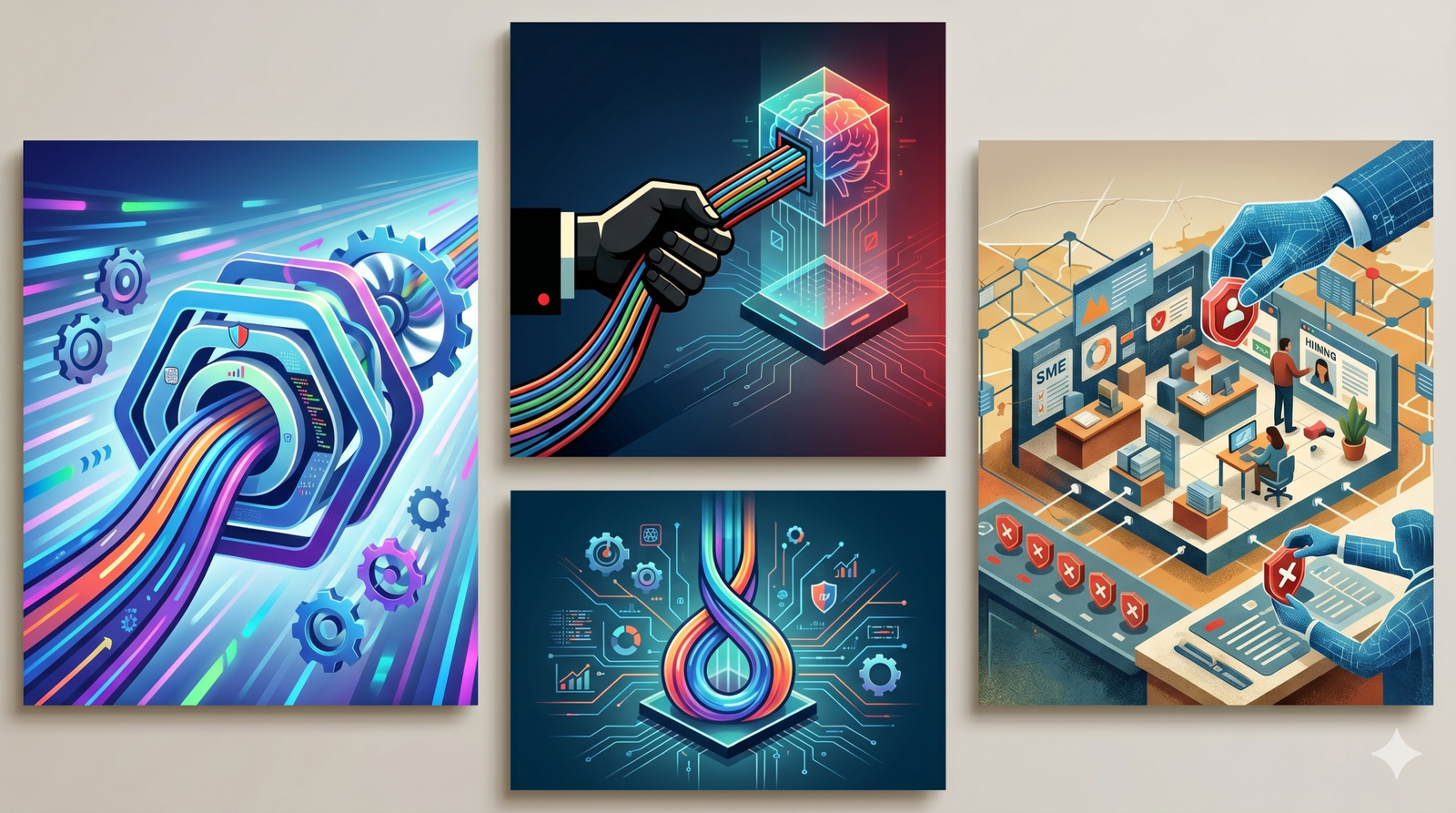
  • Your Team Is Using AI. But Do You Know What Data They Are Uploading?

    Your Team Is Using AI. But Do You Know What Data They Are Uploading?

    AI adoption in SMEs may already be happening — even if the founder has not officially approved it:

    • A sales executive may be using AI to improve a customer proposal.
    • An HR manager may be using AI to rewrite a candidate evaluation.
    • A finance person may be uploading invoice data to summarize pending payments.
    • A developer may be pasting code into an AI assistant to debug faster.
    • A marketing person may be using AI to analyze customer feedback.

    At one level, this is good. Your team is learning. They are becoming faster. They are trying to improve productivity. But every SME owner must now ask one important question:

    What exactly are they uploading?

    Because the risk is no longer only whether AI gives a wrong answer. The risk is also whether your company is quietly sharing information it should have protected.


    AI may already be inside your business

    Many SMEs think they are still “planning” to adopt AI.

    In reality, AI may already be in use.

    • Not through a formal project.
    • Not through an approved vendor.
    • Not through an IT policy.
    • But one prompt at a time.
    • Someone uses AI to write faster.
    • Someone uses AI to summarize a long document.
    • Someone uses AI to reply to customers in better English.

    This is useful. But if there are no rules, employees may upload information the business owner would never knowingly share outside the company.


    The real problem is unmanaged AI

    AI itself is not the enemy.

    SMEs should use AI.

    Used properly, AI can improve communication, documentation, analysis, customer response, software development, training, and decision support.

    The problem is not AI usage.

    The problem is unmanaged AI usage.

    There is a big difference between:

    “Our team uses AI to improve productivity.”

    and

    “Our team uploads business data into unknown AI tools without rules, review, or accountability.”

    The first is progress.

    The second is risk disguised as progress.


    What kind of data can accidentally leave the business?

    Most employees are not trying to create risk.

    They are trying to get work done.

    But in the process, they may paste or upload:

    • Customer names and contact details
    • Quotations and pricing sheets
    • Vendor contracts
    • Employee information
    • Candidate resumes
    • Financial statements
    • Internal meeting notes
    • Product designs
    • Source code
    • Customer complaints
    • Legal documents
    • Strategy documents
    • Unreleased marketing plans
    • Medical, personal, or sensitive information
    • Screenshots from internal systems

    To the employee, this may feel harmless.

    To the business, it may be confidential information, personal data, trade knowledge, or commercially sensitive material.

    That is the gap.

    The employee sees a productivity tool.

    The business owner must see a possible data exposure channel.


    A simple three-level model for SMEs

    SMEs can start with a very simple model.

    Level 1: Safe to use

    This includes generic content where no confidential, personal, financial, technical, or customer-specific information is shared.

    Examples:

    • Blog ideas
    • Generic email improvement
    • Public information summaries
    • Grammar correction
    • Training material drafts
    • Brainstorming

    This can usually be allowed with basic awareness.


    Level 2: Use with caution

    This includes business information that is useful but not deeply sensitive.

    Examples:

    • Internal process notes
    • Draft proposals without customer identifiers
    • Generic sales scripts
    • Anonymized customer feedback
    • Non-confidential reports

    This should require employee judgment and basic masking of sensitive details.


    Level 3: Needs approval

    This includes sensitive, regulated, confidential, or business-critical information.

    Examples:

    • Customer personal data
    • Employee records
    • Financial statements
    • Contracts
    • Source code
    • Medical or health data
    • Legal documents
    • Pricing strategy
    • Unreleased product plans
    • Passwords, credentials, or system screenshots

    This should not be uploaded into AI tools without explicit approval.


    The principle is simple across countries

    The legal details may differ across India, the US, Canada, France, the Netherlands, Austria, and Australia.

    Europe has GDPR and the EU AI Act.

    India has the Digital Personal Data Protection Act.

    Australia, Canada, and the US have their own privacy, sectoral, contractual, and customer-driven obligations.

    But for an SME owner, the practical principle is simple:

    If you would not email that data to an unknown outside party, do not casually paste it into an AI tool.

    This principle works across geographies.

    It is simple enough for employees.

    It is practical enough for SMEs.


    AI literacy is now a business requirement

    AI literacy does not mean every employee must become a prompt engineer.

    It means employees must understand:

    • What AI tools can do
    • What they cannot do
    • What data they should not upload
    • When AI output must be verified
    • When human approval is required
    • Who is accountable for the final decision

    This is the missing layer in many SMEs.

    They give employees access to AI tools but do not teach them how to use those tools responsibly.

    AI literacy is not just technical training.

    It is business risk training.


    What SME owners should do now

    The first step is not to buy another tool.

    The first step is to understand what is already happening.

    Ask your team five simple questions:

    1. Which AI tools are you currently using for work?
    2. What kind of company data do you upload or paste into them?
    3. Do you use AI for customer, HR, finance, legal, or technical work?
    4. Do you verify AI outputs before using them?
    5. Are there any tasks where AI has become part of your regular workflow?

    The answers may surprise you.

    That is not a reason to panic.

    It is a reason to manage.


    The goal is not AI restriction. The goal is AI control.

    SMEs should not respond to AI risk by banning AI.

    That is unrealistic.

    Employees will still use it.

    Competitors will use it.

    Customers may expect faster responses.

    The better approach is controlled adoption.

    Allow AI where it improves productivity.

    Restrict AI where it exposes sensitive data.

    Train employees where judgment is needed.

    Approve tools where business data is involved.

    Review workflows where AI influences decisions.

    That is how SMEs can get the benefit of AI without losing control of their data.


    Final thought

    AI is entering SMEs faster than most owners realize.

    The question is no longer:

    “Should my business use AI?”

    The better question is:

    “Where is my business already using AI, and what data is flowing through it?”

    The real risk is not that your team is using AI.

    The real risk is that your team is using AI in ways you cannot see, cannot measure, and cannot control.

    For SMEs, the next stage of AI maturity is not more tools.

    It is visibility, rules, training, and accountability.

    That is where safe AI adoption begins.


    Where can you start?

    If you are an SME founder or business leader, start with a simple AI usage audit. Find out which tools your team is using, what data they are uploading, and where human review is required. AI can improve productivity — but only when the business remains in control.

    About the Author

    Bhagath Singh Karunakaran is an entrepreneur, systems thinker, and deep-tech practitioner with over two decades of experience across software, IoT, Industry 4.0, and AI-led business transformation. He is the founder of i45G, where he works with SMEs, institutions, and leaders on practical technology adoption, systems thinking, workforce readiness, and AI-enabled business transformation.

    Through his writing and consulting, he focuses on helping business owners and decision-makers move beyond hype and adopt technology with clarity, ownership, and measurable value.
  • Using AI in Business: At What Level Are You Using It?

    Using AI in Business: At What Level Are You Using It?

    Everyone is talking about using AI in business. But “using AI” does not mean the same thing for everyone.

    For one business owner, it may mean using ChatGPT to write a WhatsApp message. For another, it may mean connecting AI to internal documents. For someone else, it may mean allowing AI agents to follow up with customers, update CRM records, or even build internal software.

    So before we ask, “Should SMEs use AI?”, a better question is:

    At what level is the SME using AI — and who is still in control?

    The higher we go, the more AI moves from being a helper we manually call to becoming a participant inside the business. The benefit increases, but so do the risks around data, cost, customer experience, compliance, and accountability.

    Table 1: SME AI Usage Levels

    LevelSME AI StageBuzzwordWhat it meansSME exampleHuman roleCost / token exposureRisk / caution
    1Free AI useChatGPT, Gemini, Claude, DeepSeekYou manually ask AI and use the answerCaptions, messages, ideas, translationYou ask, read, decideFree or limited free usageLow, but don’t share sensitive data
    2Paid AI usePlus / Pro / Advanced AIMore capable AI used manuallyEmails, proposals, reports, Excel help, planningYou ask, read, decideFixed monthly subscription; usage limits may applyLow to moderate
    3Multimodal AIMultimodalAI can read text, images, PDFs, screenshots, audio, etc.Invoice reading, product photos, forms, cataloguesYou still trigger AI manuallySubscription or usage limits; file-heavy work may cost moreModerate; wrong interpretation risk
    4AI with your business dataRAGAI searches or refers to your own documents/data before answeringPrice lists, SOPs, FAQs, policies, cataloguesYou control what data it can accessToken usage during search and answers; recurring cost possibleData exposure and wrong-answer risk
    5AI inside business toolsAI-enabled CRM / ERP / Marketing / Sales toolsAI features built into tools you already useAuto drafts, summaries, lead scoring, invoice remindersYou review AI suggestions inside the toolUsually subscription-based; token cost hidden inside vendor pricingVendor-dependent; data risk; hidden pricing or lock-in risk
    6AI automationWorkflow automationAI is connected to repeated workflowsLead follow-up, reminders, report generation, stock alertsYou define rules and monitorToken usage during operations; cost may grow with volumeWorkflow errors, data risk, unplanned operating cost, tool dependency
    7AI agentsAgents / Agentic AIAI can take steps on its own: read, decide, act, update, messageAgent follows up leads, updates CRM, prepares reportsHuman supervises and sets boundariesToken usage during operations; cost not yet stabilizedHigh; needs strong controls; data, cost, customer experience, compliance and legal risks

    At Levels 1 and 2, AI is mostly helping us think, write, summarize, or plan. At Levels 4 to 7, AI starts touching business data, workflows, customers, tools, and decisions. That is where SMEs need to become more careful.

    A simple cost rule is this:

    Building with AI may be a one-time cost. Running a business process through AI may become a permanent meter.

    If AI is used only while designing or building something, the token cost may stop after development. But if AI is used every day inside operations, token usage becomes a recurring business cost. These costs have not fully stabilized yet.

    Table 2: When SMEs Use AI to Build Software or Apps

    There is another important category: SMEs using AI to build software, dashboards, apps, portals, or internal tools. This is where terms like AI-assisted coding, agentic coding, vibe coding, and AI-reviewed code become important.

    LevelSME AI Software StageBuzzwordWhat it meansSME exampleHuman roleCost / token exposureRisk / caution
    8AI-assisted codingAI coding assistant / Copilot / Claude CodeAI helps write parts of the software, but a human designs and understands the systemDeveloper uses AI to build a quotation tool, dashboard, or report module fasterHuman designs, reviews, tests, and owns the codeToken/subscription cost during development; usually no token cost during operations unless AI is embeddedLow to moderate if reviewed properly
    9Agentic codingAgentic coding / coding agentsAI reads the codebase, edits files, runs commands, fixes errors, and iterates across stepsAI helps modify an internal order-tracking app or CRM workflow across multiple filesHuman directs, supervises, reviews, and verifiesHigher token usage during development; usually no token cost during operations unless AI is embeddedModerate to high; wrong changes can spread across the system
    10Vibe codingVibe coding / prompt-to-app / no-code AI app buildersHuman describes what they want, AI builds something that seems to work, but internals are not deeply understoodOwner builds an app for orders, billing, stock, follow-up, or customer records by prompting AIHuman experiments and accepts what works on screenToken/subscription cost during design/build; operations cost depends on platform and hostingVery high if used for real business without technical review
    11AI-generated, human-reviewed systemsAI-generated code with white-box reviewAI writes major parts of the system, but a capable human reviews architecture, code, security, testing, and failure casesSME builds a custom MIS, customer portal, or operations tool with AI support and developer reviewHuman remains clearly accountableToken cost during development; operations cost depends on whether AI is embedded in the appManageable if properly reviewed, tested, and maintained
    12AI-generated, AI-reviewed, human-rubber-stamped systemsAI reviewing AIAI writes code, AI reviews it, AI explains why it is fine, and humans approve without deeply understandingBusiness-critical app is built fast, but nobody can clearly explain or maintain itHuman appears accountable but may not be meaningfully in controlToken cost during development and review; operational cost may also continue if AI is embeddedExtremely high; creates hidden technical, business, data, legal, and continuity risks

    In software, the main risk is not whether AI helped write the code. The real risk is whether any capable human understands, reviews, tests, maintains, and owns what has been built.

    AI can help build business software faster. But if nobody understands the system, the business may become dependent on something it cannot control.

    The Core Question for SMEs

    AI is useful. It can save time, reduce manual work, improve communication, support decision-making, and help build internal tools faster. But SMEs should not use AI blindly.

    Before using AI deeply in business, every SME owner should ask:

    • Am I using AI to improve my thinking, or am I surrendering my thinking to AI?
    • Am I using AI to become more independent, or am I becoming dependent on tools, vendors, subscriptions, token costs, and lock-ins I do not fully understand?
    • Who understands the system?
    • Who checks the output?
    • Who owns the decision if something goes wrong?

    AI should help SMEs become smarter, faster, and more capable. It should not quietly take away thinking, independence, data control, or business ownership.

    Use AI. But do not surrender your judgment, your data, or your business control.

    About the Author

    Bhagath Singh Karunakaran is an entrepreneur, systems thinker, and deep-tech practitioner with over two decades of experience across software, IoT, Industry 4.0, and AI-led business transformation. He is the founder of i45G, where he works with SMEs, institutions, and leaders on practical technology adoption, systems thinking, workforce readiness, and AI-enabled business transformation.

    Through his writing and consulting, he focuses on helping business owners and decision-makers move beyond hype and adopt technology with clarity, ownership, and measurable value.
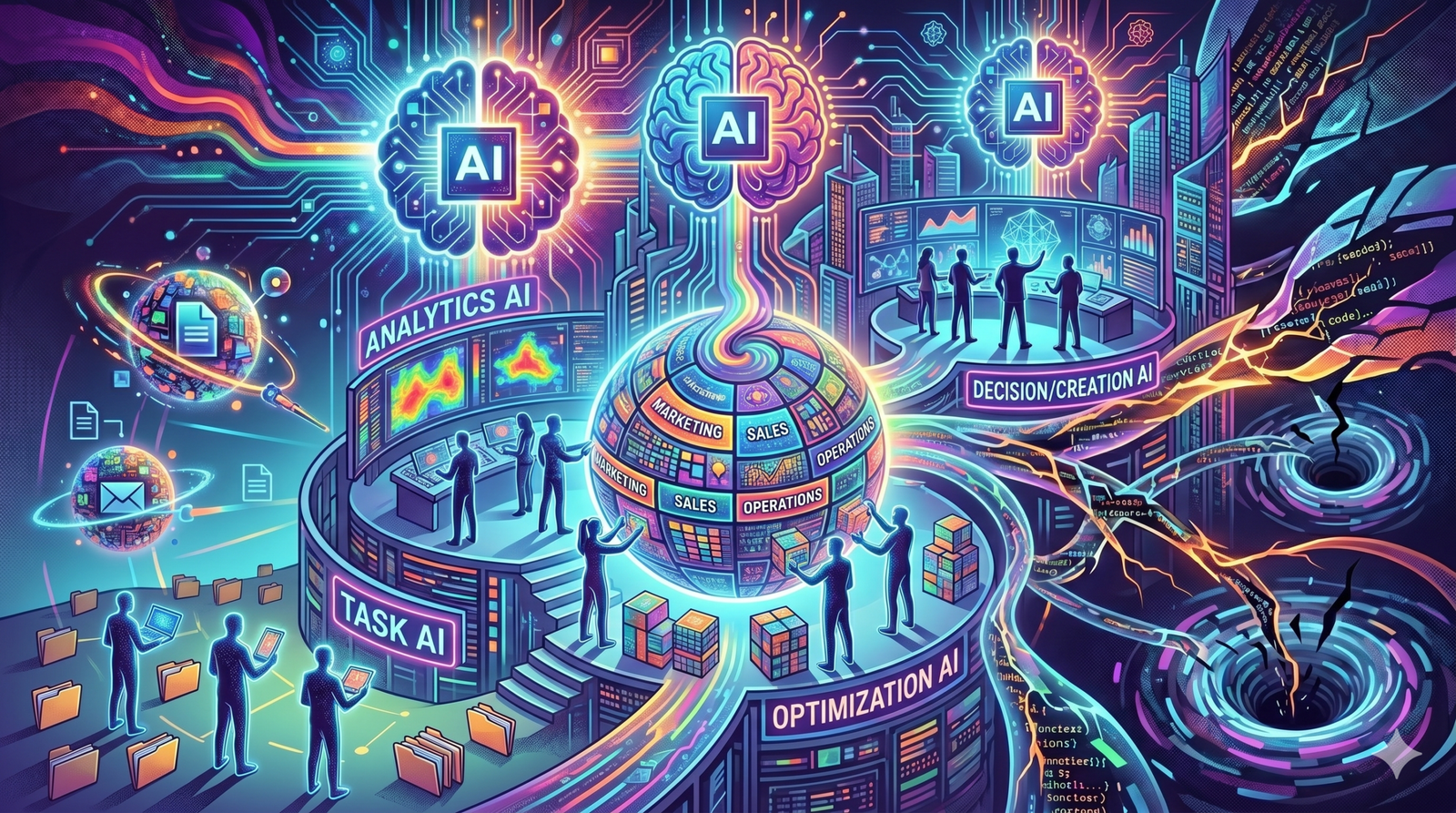
  • AI Pricing, Human Thinking, and the Peanut Problem

    AI Pricing, Human Thinking, and the Peanut Problem

    AI may be powerful.

    But the human brain is still the most energy-efficient thinking machine we know.

    Also, when I eat peanuts, I know exactly how many I consumed.

    With AI, I am still trying to understand whether I used one peanut, one packet, or one truckload.

    This is not just a pricing problem. It is a business and user-experience problem.

    Across business functions, people are now using multiple AI tools, multiple subscriptions, and multiple “usage limits” — for writing, coding, research, design, sales, marketing, support, analysis, automation, and decision-making.

    Every tool promises productivity.

    But every tool also introduces a new meter.

    A new limit.

    A new pricing model.

    A new upgrade prompt.

    A new point where flow can break.

    As business owners, we cannot buy a bottomless pit for every person, every function, and every use case just to make sure their work is not interrupted.

    And honestly, AI does not always save time for people in thinking roles.

    Often, its bigger value is different.

    It improves quality.

    It improves options.

    It improves review.

    It improves consistency.

    It improves the depth of thinking.

    But that also means AI usage has to be managed carefully — not only as a cost-saving tool, but as a quality and capability multiplier.

    That is why AI pricing feels strange from a business point of view.

    We are comparing the cost of machine thinking with the cost of human thinking — but only one side is visible.

    For humans, the unit economics are surprisingly elegant.

    People say, “If you pay peanuts, you get monkeys.”

    But evolution had the last laugh.

    With the right peanuts, it produced Homo sapiens — possibly the most energy-efficient thinking machine the universe has produced so far.

    The human brain runs on food, sleep, curiosity, and context.

    AI runs on GPUs, cooling, tokens, premium requests, model multipliers, rate limits, and billing pages that often need another AI to explain them.

    So here is my question to software developers, product leaders, founders, business owners, and AI decision makers:

    What would an ideal AI pricing and usage experience look like?

    Users should be able to see real-time consumption.

    Tools should warn before flow is interrupted.

    Pricing should be easier to understand than tokens, model multipliers, and hidden usage limits.

    Business users may need simpler “effort units” instead of technical billing units.

    Teams need clearer dashboards for cost, context, and limits.

    Because the problem is not only whether AI is expensive or cheap.

    The real question is whether AI usage is understandable, predictable, and aligned with the way humans actually work.

    That is the pricing experience businesses will need as AI becomes part of everyday work.

    About the Author

    Bhagath Singh Karunakaran is an entrepreneur, systems thinker, and deep-tech practitioner with over two decades of experience across software, IoT, Industry 4.0, and AI-led business transformation. He is the founder of i45G, where he works with SMEs, institutions, and leaders on practical technology adoption, systems thinking, workforce readiness, and AI-enabled business transformation.

    Through his writing and consulting, he focuses on helping business owners and decision-makers move beyond hype and adopt technology with clarity, ownership, and measurable value.

  • AI-Assisted Coding, Vibe Coding, and the Risk of Unowned Code

    AI-Assisted Coding, Vibe Coding, and the Risk of Unowned Code

    The conversation around AI-assisted software development is becoming more nuanced.

    StageWhat happensHuman roleRisk
    AI-assisted codingAI helps write functions, tests, refactors, boilerplateHuman designs and understandsLow to moderate
    Agentic codingAI reads codebase, edits files, runs commands, fixes errorsHuman directs and supervisesModerate to high
    Vibe codingHuman prompts by intention/feel and accepts what worksHuman is experimenting, not deeply reviewingVery high if shipped
    AI-generated, human-reviewed codeAI writes significant code, but humans do white-box review, testing, verification, ownershipHuman remains accountableManageable
    AI-generated, AI-reviewed, human-rubber-stamped codeAI writes code, AI reviews code, AI explains why it is fine, human approves without deep understandingHuman appears accountable but may not be meaningfully in controlExtremely high

    Initially, we had AI-assisted coding. A human designed the solution. AI helped write functions, tests, refactors, and boilerplate. The risk was manageable because the human still understood the system.

    Then came agentic coding. AI could read the codebase, edit files, run commands, fix errors, and iterate across multiple steps. This is powerful.

    But the risk also increases because AI is no longer just completing a line of code. It is making changes across the system.

    In parallel, we now have what people call vibe coding. The human prompts based on intention or feel. The code seems to work. The UI looks fine. The happy path passes. But the internals are not deeply understood.

    That is fine for exploration. It is dangerous for shipping.

    But I think we are now entering an even more interesting phase: AI-generated, AI-reviewed, human-rubber-stamped code.

    AI writes the code.

    AI reviews the code.

    AI explains why the code is acceptable.

    AI may even generate the tests.

    Then a human, under delivery pressure, gives approval.

    At that point, the human may not really be in the loop in a meaningful way. The human may only be providing institutional permission.

    The problem is not AI-generated code.

    The problem is unowned code.

    In the AI era, architecture thinking matters more, not less.

    Testing discipline matters more, not less.

    Human accountability matters more, not less.

    Code review should not become a ritual. It should become more serious.

    White-box review matters more, not less.

    Speed is useful, but ownership is non-negotiable.

    If AI writes the code, AI reviews the code, and a human approves it without deeply understanding it, then we may not be keeping humans truly in the loop.

    We may be slowly moving towards humans becoming rubber stamps in the loop.

    That is where the real risk begins.

  • AI-Assisted Software Development: Speed Is No Longer the Rare Resource. Clarity Is.

    AI-Assisted Software Development: Speed Is No Longer the Rare Resource. Clarity Is.

    A few months ago, I began spending serious hands-on time with AI-assisted software development.

    My CEO take?

    Earlier, average programmers produced average code at average speed.

    Now, the risk is different.

    It is possible for average programmers to produce bad code at high speed.

    This is new.

    And it changes the problem.

    One of my first realizations was this:

    • AI does not remove the need for clear thinking.
    • It punishes unclear thinking faster.
    • If the problem is unclear, AI helps you build the wrong solution faster.
    • If the architecture is weak, AI helps you multiply technical debt faster.
    • If the developer lacks judgment, AI makes that lack of judgment visible faster.

    The people who benefit most from AI may not be those who simply know the tools.

    They may be the ones who can think clearly enough to direct the tools.

    Speed is no longer the rare resource.

    Clarity is.

    In the AI era, the real advantage may not come from producing more code faster. It may come from knowing what should be built, why it should be built, how it should be designed, and when AI output should be accepted, corrected, or rejected.

    AI can amplify clarity.

    But it can also amplify confusion.

    That is why clear thinking, systems thinking, domain understanding, architecture judgment, and ownership become even more important when AI enters software development.

    The question for leaders is no longer only:

    “How fast can we build?”

    The more important question is:

    “Are we clear enough to build the right thing, in the right way, with the right level of human judgment?”

    About the Author

    Bhagath Singh Karunakaran is an entrepreneur, systems thinker, and deep-tech practitioner with over two decades of experience across software, IoT, Industry 4.0, and AI-led business transformation. He is the founder of i45G, where he works with SMEs, institutions, and leaders on practical technology adoption, systems thinking, workforce readiness, and AI-enabled business transformation.

    Through his writing and consulting, he focuses on helping business owners and decision-makers move beyond hype and adopt technology with clarity, ownership, and measurable value.